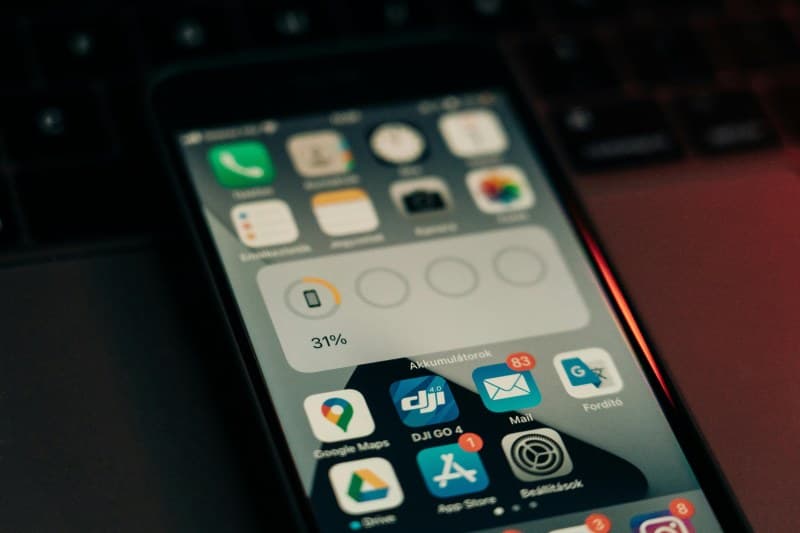
Sarah sat at her desk, trying to finish a report. Every 5 minutes, her phone buzzed—Instagram likes, a sale alert from her favorite store, a group chat message. She’d pick it up, scroll for a minute, and then forget what she was working on. By the end of the day, she’d barely made progress. Sound familiar? App notifications are designed to grab our attention, but they often do more harm than good. Let’s break down how they work, debunk some myths, and learn to take control.
6 Tricks Apps Use to Grab Your Attention
Apps use clever tactics to keep you engaged. Here are six of the most common:
- Personalized Alerts: Apps analyze your data (like past purchases or liked posts) to send tailored notifications. For example, a coffee app might alert you to a discount on your usual latte when you’re near the shop.
- FOMO Triggers: Phrases like “Your friend commented on your photo” or “Limited time offer—ending soon!” play on our fear of missing out, pushing us to click immediately.
- Visual Cues: Bright red badges or animated icons stand out on your screen, even when you’re not looking directly at it.
- Timing Magic: Apps track your usage patterns to send alerts when you’re most likely to be free (like lunch breaks) or bored (late nights).
- Urgency Language: Words like “Urgent” or “Action required” make us think we need to respond right away, even if the alert isn’t important.
- Social Proof: Notifications like “500 people are watching this live stream” make us curious to join in, as we want to be part of what others are doing.
Common Myths About Notifications (Debunked)
Let’s set the record straight on some popular myths:
- Myth 1: All notifications are necessary → Fact: Most apps send alerts to keep you engaged, not because they’re important. A game app’s “Your energy is full” alert is just a way to get you to play again.
- Myth 2: Turning off notifications means you’ll miss something important → Fact: You can choose which apps send alerts. Keep calendar or messaging notifications, but turn off promotional ones from shopping apps.
- Myth 3: Notifications don’t affect productivity → Fact: A University of California study found it takes 23 minutes to get back to a task after a notification interruption.
Notification Types: Which Are Worth Keeping?
Let’s compare three common notification types to decide which ones deserve space on your lock screen:
| Notification Type | Purpose | Should You Keep? |
|---|---|---|
| Urgent Alerts | Time-sensitive info (e.g., doctor’s appointment, flight delay) | Yes—enable sound/vibration for these. |
| Social Notifications | Updates from friends/family (e.g., loved one’s message, birthday reminder) | Maybe—keep silent alerts to check later. |
| Promotional Alerts | Sales, discounts, or app updates (e.g., “20% off shoes today!”) | No—designed to get you to spend or open the app unnecessarily. |
How to Take Control of Your Notifications
Here are practical steps to regain control:
- Do an audit: Go through each app and ask, “Does this notification add value?” If not, turn it off.
- Use silent mode: For social apps, set alerts to silent so they don’t interrupt your work.
- Schedule free time: Use “Do Not Disturb” during work or study hours to avoid distractions.
- Customize settings: For apps you keep, choose how you get notified (badge only, sound, vibration) based on importance.
Q&A: Your Notification Questions Answered
Q: Is it okay to turn off all notifications except urgent ones?
A: Absolutely! Limiting alerts to only the most important (like emergency or calendar reminders) helps focus and reduces stress. Try it for a week—you’ll likely notice more productivity.
Final Thought: Balance Is Key
“The greatest wealth is a poverty of desires.” — Seneca
This ancient wisdom applies to notifications. We don’t need to be connected to every app update. By curating our alerts, we can focus on what matters—work, family, or quiet moments. Remember: you control your devices, not the other way around.