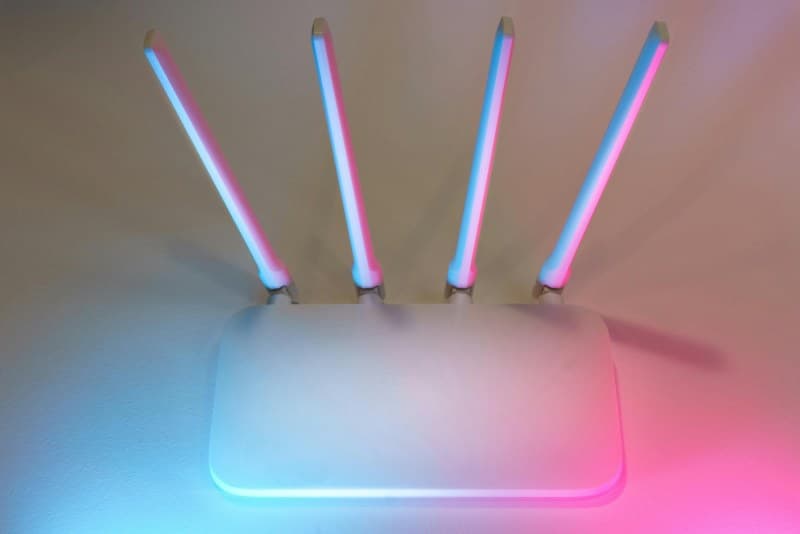
Last month, my roommate spent 30 minutes yelling at her laptop because her Zoom call kept freezing—all because her bedroom was just out of Wi-Fi range. She bought a cheap extender, plugged it in the farthest corner of her room, and… nothing changed. Turns out she fell for one of the most common myths about these devices. Let’s break down how Wi-Fi extenders actually work, clear up the confusion, and help you get the most out of your network.
What Is a Wi-Fi Extender, Anyway?
A Wi-Fi extender (or range booster) is a small device that takes your existing router’s signal, amplifies it, and rebroadcasts it to areas where the original signal is weak or non-existent. Think of it as a middleman: it picks up the Wi-Fi from your router, gives it a boost, and sends it further into your home—like a megaphone for your internet.
How Do Wi-Fi Extenders Work?
The process is straightforward:
- The extender connects to your router’s existing Wi-Fi signal.
- It amplifies that signal (without changing the data).
- It broadcasts the amplified signal to areas with poor coverage (dead zones).
Wi-Fi Extender vs. Mesh vs. Powerline Adapter: Which Is Right for You?
Extenders aren’t the only way to fix dead zones. Here’s a quick comparison of three popular options:
| Feature | Wi-Fi Extender | Mesh System | Powerline Adapter |
|---|---|---|---|
| Coverage Area | Up to 1,500 sq ft (per extender) | Whole home (multiple nodes) | Up to 1,000 sq ft (per adapter) |
| Network Integration | Separate network (unless configured) | Single unified network | Uses electrical wiring for connection |
| Setup Complexity | Easy (plug-and-play) | Moderate (app-based) | Easy (plug into outlet) |
| Cost Range | $30–$100 | $150–$500 (for 3 nodes) | $50–$120 (pair) |
| Best For | Small dead zones in single-story homes | Large homes or multi-story buildings | Homes with thick walls or no Wi-Fi line of sight |
7 Common Wi-Fi Extender Myths Debunked
Myth 1: Extenders double your Wi-Fi speed
False. Extenders split the bandwidth between the router and the extender. If your router has 100 Mbps, the extender will use part of that to receive the signal and part to send it—so you’ll get less than 100 Mbps in the extended area.
Myth 2: Any extender works with any router
Not exactly. Most extenders are compatible with standard Wi-Fi protocols (802.11ac, 802.11ax), but some older routers may not support newer extenders. Always check the compatibility before buying.
Myth3: Placing it in the farthest dead zone helps
Big mistake. Extenders need a strong original signal to work well. If you place it in a dead zone, it has nothing to amplify. The sweet spot is halfway between your router and the dead zone.
Myth4: More extenders = better coverage
Too many extenders can cause interference. Each extender broadcasts a signal, and overlapping signals can slow down your network. Stick to one or two extenders max for most homes.
Myth5: Extenders are the same as mesh systems
No. Mesh systems use multiple nodes to create a single, seamless network. Extenders create separate networks, so your device may have to switch between them (causing lag).
Myth6: You don’t need to update firmware
False. Firmware updates fix security bugs and improve performance. Most extenders have an app or web interface to update firmware—do this every few months.
Myth7: All extenders have the same range
No. The range depends on the extender’s antenna strength and frequency (2.4GHz vs. 5GHz). 2.4GHz extenders have longer range but slower speed; 5GHz has faster speed but shorter range.
Setup Tips for Maximum Performance
To get the best out of your extender:
- Find the sweet spot: Use a Wi-Fi analyzer app to find where the signal is strong but the area needs coverage.
- Use the same SSID: Configure the extender to use the same name and password as your router for seamless switching.
- Avoid interference: Keep extenders away from metal objects, microwaves, or cordless phones (they use the same frequency).
- Update firmware: Check for updates once a month.
“An ounce of prevention is worth a pound of cure.” — Benjamin Franklin
This quote rings true for Wi-Fi extenders. Taking 10 minutes to set up your extender correctly (finding the sweet spot, updating firmware) saves you hours of troubleshooting later.
FAQ: Do Wi-Fi Extenders Slow Down My Internet?
Q: I’ve heard extenders make your internet slower—Is that true?
A: It depends. If you place the extender in a spot with a weak original signal, it will amplify a slow signal, leading to lag. But if placed correctly (halfway between router and dead zone), the slowdown is minimal (usually 10–20% of the original speed) and worth it for better coverage. For example, if your router has 100 Mbps, you might get 80 Mbps in the extended area—enough for streaming or browsing.
Wi-Fi extenders are a budget-friendly way to fix dead zones, but they aren’t perfect. By understanding how they work and avoiding common myths, you can get the most out of your network and say goodbye to frozen Zoom calls (like my roommate did—after she moved her extender to the sweet spot).