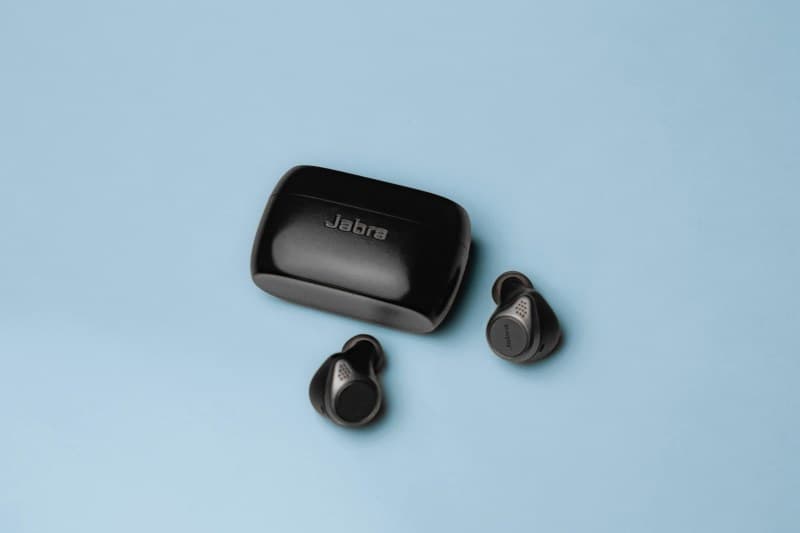
Imagine this: You’re running to catch a bus, fumbling to put in your wireless earbuds to listen to your favorite podcast. But one earbud won’t connect, and the other’s battery dies mid-sentence. Sound familiar? Wireless earbuds are a game-changer, but they come with their share of frustrations. Let’s break down the four most common issues and how to fix them.
4 Common Wireless Earbud Headaches (And How to Beat Them)
1. Dead Batteries Mid-Use 🪫
There’s nothing worse than your earbuds dying right when you need them. This usually happens because you forgot to charge the case (yes, we’ve all been there). The case is your earbuds’ lifeline—if it’s empty, your earbuds won’t get a boost.
Quick fix: Always check the case’s battery indicator before leaving home. Most cases have LED lights that show how much charge is left. If it’s low, plug it in overnight.
2. Connectivity Drops (Cutting Out) 📶
You’re listening to music, and suddenly the sound cuts out—only to come back 10 seconds later. This is often due to Bluetooth interference from other devices (like Wi-Fi routers or other Bluetooth gadgets) or being too far from your phone.
Fix: Move closer to your device (within 30 feet) and turn off any unnecessary Bluetooth devices nearby. If that doesn’t work, reset your earbuds and re-pair them.
3. One Earbud Not Working 🎶
Ever put in both earbuds only to realize one is silent? This is usually a pairing issue. Sometimes, one earbud doesn’t sync with the other or your device.
Fix: Put both earbuds back in the case, close it for 10 seconds, then take them out again. If that fails, reset your earbuds (check the manufacturer’s instructions—each brand is different).
4. Muffled Sound Quality 🔊
Your favorite song sounds like it’s coming through a pillow? Chances are, your ear tips are dirty. Earwax and dust build up over time, blocking the sound.
Fix: Gently clean the ear tips with a cotton swab dipped in rubbing alcohol. Be careful not to get liquid inside the earbud itself.
To help you choose the right fix for each issue, here’s a quick comparison:
| Issue | Fix | Effort Level | Tools Needed | Success Rate |
|---|---|---|---|---|
| Dead Batteries | Charge case overnight | Low | Charging cable | 95% |
| Connectivity Drops | Move closer + turn off other devices | Medium | None | 85% |
| One Earbud Silent | Reset + re-pair | Medium | None (follow brand steps) | 90% |
| Muffled Sound | Clean ear tips | Low | Cotton swab + rubbing alcohol | 100% |
“An ounce of prevention is worth a pound of cure.” — Benjamin Franklin
This old saying rings true for wireless earbuds. Taking 2 minutes a week to clean your ear tips or check your case’s battery can save you from a lot of frustration later.
FAQ: Your Earbud Questions Answered
Q: Do wireless earbuds lose battery capacity over time?
A: Yes. Like all lithium-ion batteries, earbud batteries degrade with use. Most last 2-3 years before you notice a significant drop in battery life. To extend their life, avoid charging them to 100% every time and don’t leave them in extreme heat or cold.
Pro Tips for Happy Earbuds
- Store your earbuds in their case when not in use—this protects them and keeps them charged.
- Update your earbuds’ firmware (check the brand’s app) to fix bugs and improve performance.
- Avoid using earbuds while swimming or in the rain (unless they’re waterproof).
Wireless earbuds are a great tool, but they need a little care. With these tips, you can keep them working well for longer and avoid those annoying mid-use issues.