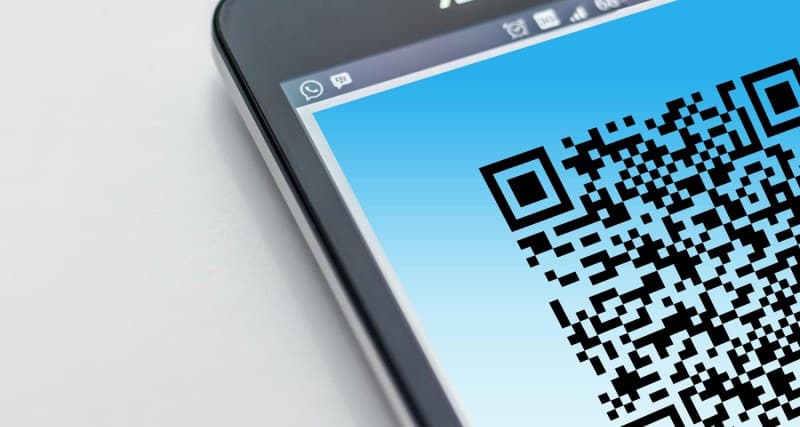
Ever stood in a café, scanning a QR code to pull up the menu instead of touching a paper one? Or used one to pay for groceries without fumbling for cash? QR codes are everywhere these days, but do you really know how they work? Let’s break it down, debunk some myths, and see how they’re changing daily tasks.
How QR Codes Actually Work
QR stands for Quick Response. These square barcodes store data in a grid of black and white modules (small squares). When a camera scans them, the app (like your phone’s built-in camera) decodes the pattern into information—this could be a URL, text, payment link, or even a Wi-Fi password. Unlike traditional barcodes (which only store data horizontally), QR codes use both horizontal and vertical space, so they can hold up to 7,089 numeric characters or 4,296 alphanumeric characters. That’s why they’re so versatile!
7 Common QR Code Myths Debunked
- Myth 1: QR codes are only for URLs.
Truth: They can store any data—contact info, Wi-Fi credentials, event tickets, or even a short poem. - Myth 2: Scanning QR codes is always unsafe.
Truth: Most are safe, but avoid unknown sources (random posters, unsolicited messages) as they could link to malicious sites. - Myth 3: QR codes can’t store much data.
Truth: As mentioned, they hold way more than traditional barcodes—enough for a short story! - Myth 4: You need a special app to scan them.
Truth: Most modern smartphones (iOS 11+ and Android 9+) have built-in QR scanners in their cameras. - Myth 5: QR codes are just for businesses.
Truth: Individuals use them too—like sharing a Wi-Fi password with guests or linking to a personal portfolio. - Myth 6: All QR codes look the same.
Truth: You can customize them with logos or colors (as long as the core pattern stays intact). - Myth 7: QR codes are a new technology.
Truth: They were invented in 1994 by a Japanese engineer for tracking car parts!
Practical QR Code Uses: Pros & Cons
Here’s how people use QR codes daily, with their ups and downs:
| Use Case | Pros | Cons |
|---|---|---|
| Menu Scanning 📜 | Touchless, easy to update, saves paper | Requires a smartphone, hard to read in low light |
| Mobile Payments 💳 | Fast, no cash needed, reduces fraud | Dependent on internet connection |
| Event Tickets 🎟️ | No physical ticket to lose, easy check-in | Phone battery die-off risk |
| Loyalty Programs 🎁 | No physical card, automatic points tracking | Requires app sign-up for some programs |
| Product Info 🛍️ | Access ingredients, reviews, or tutorials instantly | Some codes lead to broken links |
A Classic Quote About Simplicity
Simplicity is the ultimate sophistication. — Leonardo da Vinci
This line fits QR codes perfectly. Their simple square design hides a world of functionality, turning complex tasks (like accessing a menu or paying) into a quick scan. You don’t need to understand the tech behind them to use them—just point and click.
Real-Life Example: A Bakery’s QR Success
Mia, owner of a small neighborhood bakery, started using QR codes last year. She added them to her display cases: scanning a code next to a loaf of sourdough pulls up its ingredients, baking process, and a recipe for pairing it with soup. Her customers loved it—sales of sourdough went up 20% in the first month, and she got fewer questions about allergens. She also added a QR code for her loyalty program: scan to earn points, no physical card needed. “It’s made my business more efficient and customer-friendly,” she says.
FAQ: Are QR Codes Safe?
Q: I’m worried about scanning QR codes—should I be?
A: For the most part, no. But take small precautions: Avoid scanning codes from unknown sources (like random flyers or unsolicited texts). If you’re using a smartphone camera, check the URL preview before opening it. Some QR scanner apps have built-in security to warn you about malicious links. When in doubt, skip it!
QR codes are more than just a trend—they’re a tool that simplifies daily life. Whether you’re ordering food, paying bills, or learning about a product, understanding how they work and debunking myths helps you use them safely and effectively. Next time you scan one, remember the little square is doing a lot of work behind the scenes.