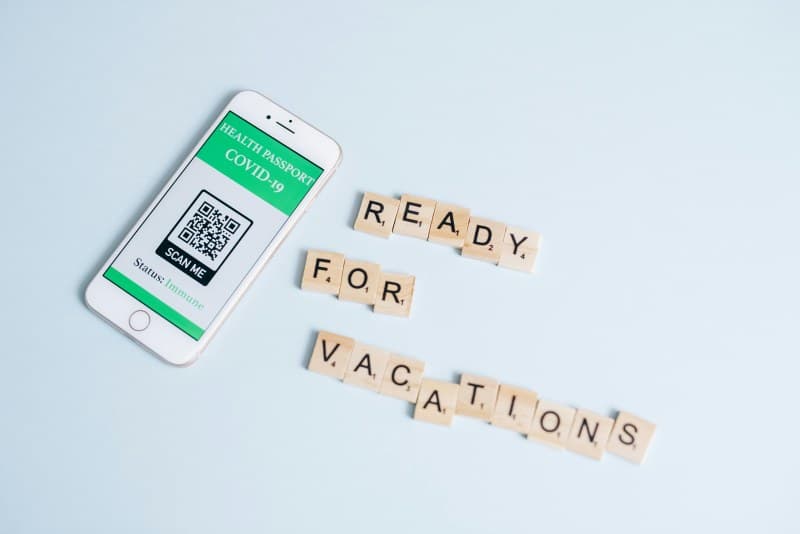
Last weekend, I walked into a local café and instead of a paper menu, there was a small square sticker on the table. I pulled out my phone, scanned it, and boom—menu was on my screen. That sticker? A QR code, a tech tool we use daily but rarely stop to think about.
How QR Codes Actually Work
QR stands for Quick Response. These 2D barcodes store data (like text, URLs, or contact info) in black and white squares. When you scan one with your phone’s camera, the device reads the pattern, translates it from binary code, and opens the linked content—all in seconds.
4 Key Things You Need to Know About QR Codes
1. Not All QR Codes Are the Same
There are several types of QR codes, each designed for specific uses. Here’s a quick comparison:
| Type | Data Capacity | Common Use Case | Expiry |
|---|---|---|---|
| Static | Up to 7,089 characters | Café menus, contact info | Never (fixed data) |
| Dynamic | Same as static (redirects to editable URL) | Marketing campaigns, event updates | Can be set to expire |
| Micro QR | Up to 35 numeric characters | Small product labels | Never |
| iQR | Up to 40,000 characters (3D-like) | Product manuals, large data storage | Never |
2. Common Myths Debunked
Let’s clear up two persistent myths:
- Myth 1: QR codes are always a scam. While scammers do use fake codes to steal info, legitimate ones are safe. Always check the URL preview before opening a link.
- Myth 2: QR codes only store URLs. They can hold contact details, Wi-Fi credentials, or even small files (like a PDF of a recipe).
3. Unexpected Practical Uses
QR codes aren’t just for menus. Here are some surprising ways people use them:
- Pet ID tags: Scan to see the owner’s contact info if the pet gets lost.
- Museum exhibits: Scan to get audio guides or extra details about artwork.
- Contactless payments: Services like PayPal use QR codes for quick, cashless transactions.
4. Security Tips to Keep in Mind
To stay safe while using QR codes:
- Use your phone’s built-in scanner (most have safety checks) instead of third-party apps.
- Avoid scanning codes from unknown sources (like random flyers or unsolicited emails).
- If a code redirects to a login page, double-check the URL is legitimate (look for “https” and the correct domain).
“Simplicity is the ultimate sophistication.” — Leonardo da Vinci
This quote perfectly sums up QR codes. They’re a simple square, but they connect us to a world of information with just a scan—no complicated steps needed.
FAQ: Common QR Code Questions
Q: Can QR codes be customized with logos or colors?
A: Yes! You can add logos or change colors (as long as the contrast between dark and light areas is high enough for scanners to read). Many businesses use this to brand their codes.
Q: Do I need an internet connection to scan a QR code?
A: It depends. If the code stores data directly (like contact info), no. If it links to a website or online content, yes.
Next time you scan a QR code, take a second to appreciate how this simple tech makes our lives easier. From ordering food to accessing info, QR codes are here to stay—and knowing these key points will help you use them smarter.