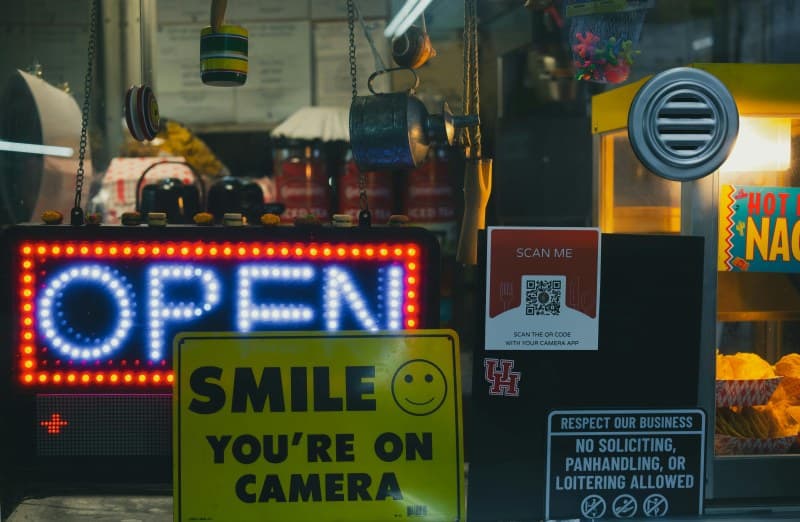
Ever stood in a café, staring at a QR code on the table to pull up the menu? Or scanned one to pay for groceries? QR codes are everywhere these days, but do you really know how they work? Let’s break it down simply, debunk some myths, and show you how to make the most of them.
What Are QR Codes & How Do They Work?
QR stands for Quick Response—a name that hints at their purpose: fast, easy access to information. Unlike 1D barcodes (the ones on grocery items), QR codes are 2D, meaning they store data in both horizontal and vertical directions. This lets them hold way more info: up to 4,296 alphanumeric characters, compared to a 1D barcode’s 20.
When you scan a QR code with your phone, the camera captures the pattern of black and white squares. The scanner app (or native camera feature) decodes this pattern into usable data—like a URL, contact info, or Wi-Fi credentials. It’s that simple!
7 Common QR Code Myths Debunked
- Myth 1: QR codes are only for URLs.
Truth: They can store contact details, Wi-Fi passwords, event tickets, and even small text notes. - Myth 2: You need a special app to scan QR codes.
Truth: Most modern phones (iOS 11+ and Android 9+) have native QR scanners in their camera apps. - Myth 3: QR codes are unsafe.
Truth: The code itself is harmless—risk comes from the linked content. Always check previews before opening. - Myth 4: QR codes expire.
Truth: The code doesn’t expire, but the content it links to (like a temporary event page) might. - Myth 5: QR codes can’t be customized.
Truth: You can add logos, change colors, or even shape the code (as long as the core pattern stays intact). - Myth 6: Only smartphones can scan QR codes.
Truth: Desktops can use webcam-based tools (like Chrome’s QR Code Reader extension) to scan. - Myth 7: QR codes are outdated.
Truth: They’re still widely used for payments, menus, and digital check-ins—especially post-pandemic.
Practical Uses of QR Codes
QR codes aren’t just for menus. Here are some everyday uses:
- Mobile payments (PayPal, Venmo, or local payment apps).
- Event check-ins (scan to get your ticket validated).
- Wi-Fi setup (scan to connect without typing a long password).
- Product packaging (link to reviews, tutorials, or warranty info).
- Digital business cards (scan to save contact details directly to your phone).
QR Code Scanning Compatibility Across Devices
Not all devices scan QR codes the same way. Here’s a quick comparison:
| Device Type | Native Scanner Availability | Steps to Scan |
|---|---|---|
| iOS (iPhone/iPad) | Yes (Camera app) | Open Camera → Point at code → Tap the pop-up link. |
| Android (Most models) | Yes (Google Lens/Camera) | Open Camera → Point at code → Tap the Lens icon or pop-up link. |
| Desktop (Windows/Mac) | No native | Use a browser extension (e.g., QR Code Reader for Chrome) → Allow webcam access → Scan code. |
A Small Business Success Story
Take Maria, a local bakery owner. She used to hand out paper recipe cards for her famous chocolate chip cookies. Now, she prints QR codes on her cookie boxes that link to a 1-minute video of her mixing the dough. Customers love the behind-the-scenes look, and Maria’s cookie box sales have jumped 20% in three months. “It’s a simple way to connect with my customers,” she says. “They feel like they’re part of the process.”
“An investment in knowledge pays the best interest.” — Benjamin Franklin
This quote rings true for QR codes. Understanding how they work and their potential helps you use them safely and creatively—whether you’re a business owner or a casual user.
FAQ: Are QR Codes Safe to Scan?
Q: I’ve heard QR codes can lead to malware. Should I avoid them?
A: QR codes themselves are harmless, but the links they point to can be risky. To stay safe:
1. Avoid scanning codes from unknown sources (like random flyers or unsolicited emails).
2. Check the URL preview (if your scanner shows it) before opening.
3. Use a scanner app with built-in security (like Google Lens) that flags suspicious links.
QR codes are a versatile tool that’s here to stay. By knowing how they work and busting common myths, you can make them work for you—whether you’re scanning a menu, paying for coffee, or sharing your contact info.