Last week, I stood in line at my favorite coffee shop, staring at a QR code stuck to the counter. Instead of flipping through a crumpled menu, I pulled out my phone, scanned it, and ordered my latte in 30 seconds. QR codes have become so ubiquitous, but do you know how they actually work? Let’s break it down.
How QR Codes Work: The Basics
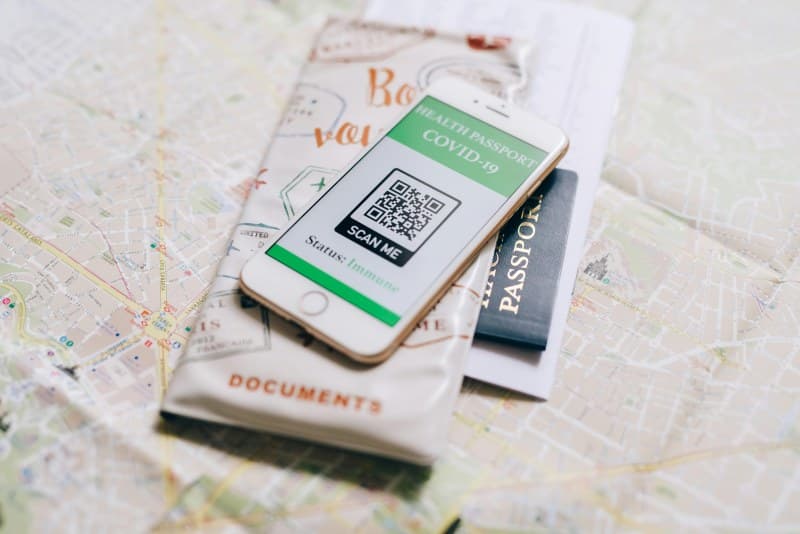
QR stands for Quick Response. It’s a 2D matrix barcode that stores data—think text, URLs, contact info, or even Wi-Fi settings. Unlike 1D barcodes (like the ones on grocery items), QR codes can hold more data and be scanned from any direction. The black squares and dots you see represent binary code; your phone’s camera reads these patterns to decode the information.
6 Key Uses of QR Codes You Might Not Know
- Contactless Payments: Services like Apple Pay or Google Pay use QR codes to transfer payment info quickly, no physical card needed.
- Event Check-Ins: Concerts or conferences use QR codes on tickets to verify attendance without paper, cutting down on lines.
- Product Information: Scan a QR code on a toy to get assembly instructions or safety warnings, or on a wine bottle to learn about its origin.
- Digital Menus: Restaurants update menus in real time via QR codes—no more printing new ones every time a dish is added or removed.
- Wi-Fi Access: Some cafes share Wi-Fi credentials via a QR code; scan it to connect instantly without typing long passwords.
- Emergency Info: Medical bracelets with QR codes store vital data like allergies or blood type, helping first responders act fast.
Common QR Code Myths Debunked
Let’s separate fact from fiction with this quick table:
| Myth | Fact |
|---|---|
| QR codes are always unsafe and lead to scams. | Most QR codes are safe, but always check the URL before opening—avoid scanning codes from unknown sources. |
| QR codes can only store URLs. | They can store text, contact details, Wi-Fi settings, and even small images. |
| You need a special app to scan QR codes. | Most modern smartphones have built-in QR scanners in their camera apps. |
Practical Tips for Using QR Codes Safely
- ✅ Always check the source: Don’t scan QR codes from random posters or unsolicited emails.
- ✅ Verify the URL: Before tapping “open,” make sure the website looks legitimate (no misspelled domain names).
- ✅ Use a QR scanner with safety features: Some apps warn you about suspicious links or phishing attempts.
Story Time: A Small Business’s QR Code Win
My friend Mia owns a small bakery in our neighborhood. She used to spend hours every week updating paper menus whenever she added a new pastry or changed a price. Then she switched to QR codes. Now, she updates her digital menu daily, and customers love being able to see photos of each item. Her sales of seasonal pastries increased by 20% because she could highlight them instantly. It’s a small change, but it made a big difference for her business.
FAQ: Can QR Codes Expire?
Q: Do QR codes stop working after a certain time?
A: QR codes themselves don’t expire, but the content they link to can. For example, if a QR code links to a temporary event page, the page might be taken down after the event ends—making the QR code useless. Always check if the linked content is still active.
“An investment in knowledge pays the best interest.” — Benjamin Franklin
This quote rings true for QR codes. Taking a minute to learn how they work and how to use them safely helps you make the most of this handy tech without falling for scams. Whether you’re ordering coffee, checking into a concert, or accessing Wi-Fi, QR codes are here to stay—so why not get to know them better?