Last week, I stopped by a neighborhood café and noticed a QR code on the table instead of a physical menu. I scanned it with my phone, and boom—there was the full menu, plus links to vegan options and a loyalty program. It got me thinking: How do these little square codes hold so much info? And why do some people still hesitate to use them?
What Are QR Codes, Anyway?
QR stands for Quick Response. Invented in 1994 by a Japanese engineer to track car parts, they’re like 2D barcodes that store data (text, URLs, contact info) in black and white squares. Unlike traditional barcodes (which only hold data horizontally), QR codes use both horizontal and vertical space—so they can store way more info (up to 4,296 alphanumeric characters).
6 Common QR Code Myths Debunked
- Myth 1: QR codes are only for URLs. Nope! They can store contact details, Wi-Fi passwords, event tickets, and even small text notes.
- Myth 2: Scanning QR codes will give you malware. Rarely—if you scan from trusted sources (like a café menu or official event poster) you’re safe. Avoid codes from random flyers or unknown websites.
- Myth 3: QR codes are hard to create. You can make one in 2 minutes using free tools like QR Code Generator or Canva.
- Myth 4: Only smartphones can scan QR codes. Many tablets, laptops (with cameras), and even some smartwatches support QR scanning.
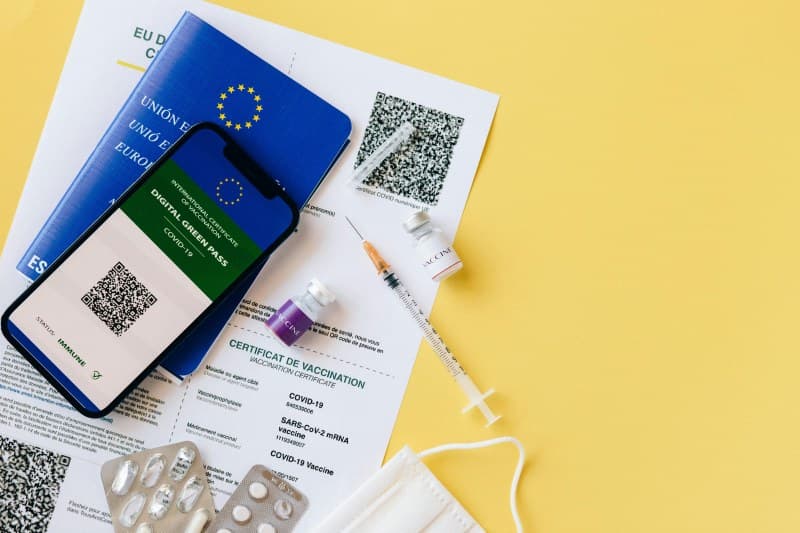
- Myth 5: QR codes are outdated. They’re more popular than ever—used for contactless payments, vaccine passports, and even museum exhibits.
- Myth 6: All QR codes are static. Dynamic QR codes let you change the linked content without reprinting the code—perfect for businesses updating their menus or promotions.
Types of QR Codes: A Quick Comparison
Not all QR codes are the same. Here’s how the most common types stack up:
| Type | Key Feature | Best For |
|---|---|---|
| Static | Fixed content—can’t change once created. | Personal use (e.g., sharing your contact info). |
| Dynamic | Editable content—update links without reprinting. | Businesses (menus, promotions, event updates). |
| Custom | Branded design (add logos, colors). | Marketing campaigns (brand recognition). |
Hidden Features You Might Not Know
QR codes have some tricks up their sleeves:
- Wi-Fi QR codes: Scan one to auto-connect to a Wi-Fi network (no typing passwords!).
- Payment links: Many small businesses use QR codes for contactless payments (e.g., Venmo or PayPal links).
- Event tickets: Concert or movie tickets often use QR codes to prevent counterfeiting.
A Classic Quote About Simplicity
“Simplicity is the ultimate sophistication.” — Benjamin Franklin
This quote fits QR codes perfectly. They’re simple to use, but their ability to connect physical and digital worlds is incredibly sophisticated.
Q&A: Your Burning QR Code Questions
Q: Are QR codes safe for kids to scan?
A: Yes, as long as they’re taught to only scan codes from trusted adults (like parents or teachers). Avoid codes from strangers or unknown sources.
Final Thoughts
QR codes are more than just a pandemic trend—they’re a handy tool that makes our lives easier. Next time you see one, don’t hesitate to scan it (safely!)—you might discover something useful or fun.