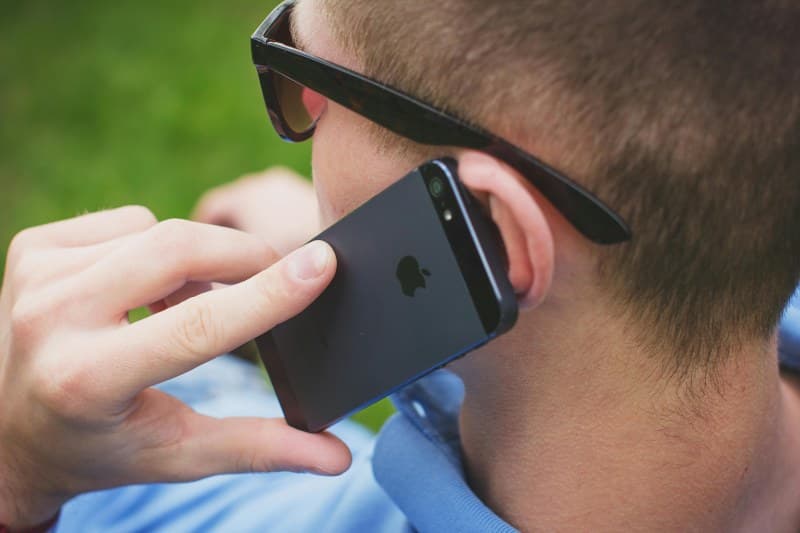
Last month, I was sprinting to catch a morning train when my phone died mid-navigation. Panicked, I remembered a friend mentioning a hidden battery saver—but I’d never bothered to set it up. That day, I realized most of us only scratch the surface of our smartphones’ capabilities. Let’s dive into 5 underused features that can turn chaos into calm.
1. One-Handed Mode: For Small Hands (or Big Phones)
Ever fumbled to type a text with one hand while holding a coffee? One-handed mode shrinks your screen to fit your thumb’s reach. On iPhones, swipe down from the bottom edge; on Android, look for it in display settings. It’s a game-changer for anyone with large devices.
2. Emergency SOS: Your Silent Lifesaver
If you’re in trouble, pressing your power button 5 times (on most phones) triggers an emergency call to local services and sends your location to trusted contacts. I once used this when my car broke down on a remote road—within minutes, help arrived. Don’t wait until you need it to set this up.
3. Screen Recording with Audio: Capture Every Detail
Need to show a friend how to use an app? Or save a live stream? Screen recording (with microphone audio) lets you capture exactly what’s on your screen. On iPhones, add it to your Control Center; Android users can find it in quick settings. Pro tip: Turn on “do not disturb” first to avoid notifications popping up.
4. App Pinning: Keep Your Phone Secure (and Kids Off Social Media)
App pinning locks your phone to a single app—perfect for when you lend it to a kid to play games or a friend to check a map. To use it, go to security settings, enable app pinning, then hold the recent apps button and tap the pin icon. No more accidental swipes to your messages!
5. Bedtime Mode: Wind Down Without Distractions
Bedtime mode dims your screen, turns off non-essential notifications, and even plays calming sounds. I started using it a month ago, and my sleep quality improved—no more late-night email alerts jolting me awake. Set it to activate automatically at your bedtime for hassle-free relaxation.
Myth vs. Reality: Busting Common Misconceptions
Let’s clear up some myths about these hidden features:
| Feature | Common Myth | Reality |
|---|---|---|
| One-Handed Mode | It slows down your phone. | It’s just a display adjustment—no performance hit. |
| Emergency SOS | It only works if you have cell service. | On some phones, it uses satellite connectivity in remote areas. |
| Screen Recording | It uses too much storage. | Most recordings are small (10 minutes = ~1GB) and easy to delete. |
| App Pinning | It’s hard to unpin. | Just hold the back and recent apps buttons together to unpin. |
| Bedtime Mode | It blocks all calls. | You can allow calls from trusted contacts (like family) to get through. |
“Everything should be made as simple as possible, but not simpler.” — Albert Einstein
Einstein’s words ring true here. These features are designed to simplify our lives without overcomplicating things—we just need to take a minute to learn them.
FAQ: Your Burning Questions Answered
Q: Will using these hidden features drain my battery faster?
A: Most won’t. Bedtime mode actually saves battery by dimming the screen and turning off notifications. Emergency SOS uses minimal power, and app pinning has no extra drain. The only exception is screen recording, but it’s temporary and worth it for quick tutorials.
Q: Are these features available on all phones?
A: Most modern smartphones (iOS 13+ and Android 9+) have these features. Exact steps may vary, but a quick search in your phone’s settings will find them.
Final Thought: Try One Today
You don’t need to master all 5 at once. Pick one—like emergency SOS—and set it up tonight. Small changes to how you use your phone can make a big difference in your daily life. After all, your phone is more than just a device—it’s a tool to make life easier.