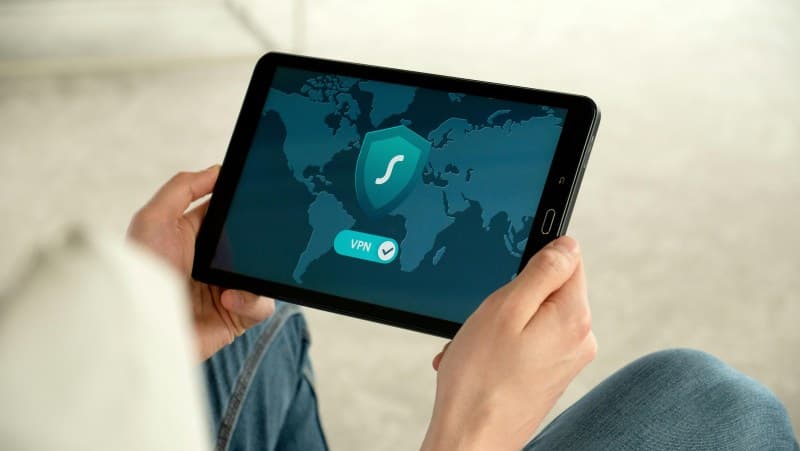
Imagine Sarah sitting in her favorite coffee shop, sipping latte while checking her bank account on public Wi-Fi. She pauses, remembering a friend’s warning about snoopers stealing data over unsecure networks. So she taps her phone to turn on her VPN—and breathes easier. But what exactly is a VPN, and does it really keep her safe?
What is a VPN, anyway?
A VPN (Virtual Private Network) is like a secure, encrypted tunnel between your device (phone, laptop) and the internet. When you use one, your data travels through this tunnel instead of the open, public web. This means no one—hackers, ISPs, or even governments—can easily see what you’re doing online.
How does a VPN work?
Let’s break it down simply:
- You turn on your VPN app and connect to a server (say, in New York or London).
- Your device encrypts all data you send or receive—turning it into a jumbled mess that only the VPN server can decode.
- The VPN server sends your data to the website or service you’re using, hiding your real IP address (so the site sees the server’s IP instead).
- The server receives the response from the site, encrypts it again, and sends it back to you.
5 Common VPN Myths Debunked 💡
- Myth 1: VPNs make you completely anonymous. Truth: They hide your IP and encrypt data, but not everything. For example, if you log into a Google account, Google still knows who you are.
- Myth 2: All VPNs are the same. Truth: Free VPNs often have ads, slow speeds, or even log your data. Paid ones usually offer better security and faster connections.
- Myth3: VPNs always slow down your internet. Truth: Good paid VPNs use fast servers and optimized protocols to minimize speed loss. Some even boost speeds by bypassing ISP throttling.
- Myth4: You only need a VPN on public Wi-Fi. Truth: Home Wi-Fi can be hacked too. VPNs also help bypass geo-restrictions (like watching Netflix from another country) and stop ISPs from tracking your browsing habits.
- Myth5: Using a VPN is illegal. Truth: In most countries (US, EU, Canada), VPNs are legal. Only a few (like China, Russia, Iran) restrict or ban them.
Which VPN Type Is Right For You? A Comparison
Not all VPNs serve the same purpose. Here’s a quick look at common types:
| VPN Type | Key Feature | Best For | Pros | Cons |
|---|---|---|---|---|
| Free VPN | No cost | Occasional public Wi-Fi use | Budget-friendly | Slow speeds, ads, data logging |
| Paid VPN | Premium security & speed | Regular online use, streaming | Fast, no logs, multiple servers | Monthly/annual fee |
| Remote Access VPN | Connect to work network | Remote employees | Secure access to company data | Requires company setup |
| Site-to-Site VPN | Connects two offices | Businesses with multiple locations | Seamless inter-office communication | Complex setup, high cost |
Practical Tips for Using a VPN
- Choose a VPN with a no-logs policy (they don’t store your browsing data).
- Turn on auto-connect for public Wi-Fi to avoid forgetting.
- Test the speed before subscribing—many paid VPNs offer free trials.
- Avoid free VPNs that ask for too much personal info or show intrusive ads.
FAQ: Your VPN Questions Answered
Q: Do I need a VPN if I use antivirus software?
A: Yes! Antivirus protects your device from malware, but a VPN protects your data while it’s traveling online. They work together for better security.
Q: Can I use a VPN to watch Netflix from another country?
A: Some VPNs work, but Netflix actively blocks many. Look for VPNs that specifically mention Netflix compatibility.
“Those who would give up essential Liberty, to purchase a little temporary Safety, deserve neither Liberty nor Safety.” — Benjamin Franklin
This quote reminds us that online privacy is a form of liberty. A VPN isn’t just a tool—it’s a way to keep control over your digital life, whether you’re checking emails at a coffee shop or streaming your favorite show.
So next time you connect to public Wi-Fi, remember Sarah’s story. A VPN might just be the simple step you need to stay safe online.