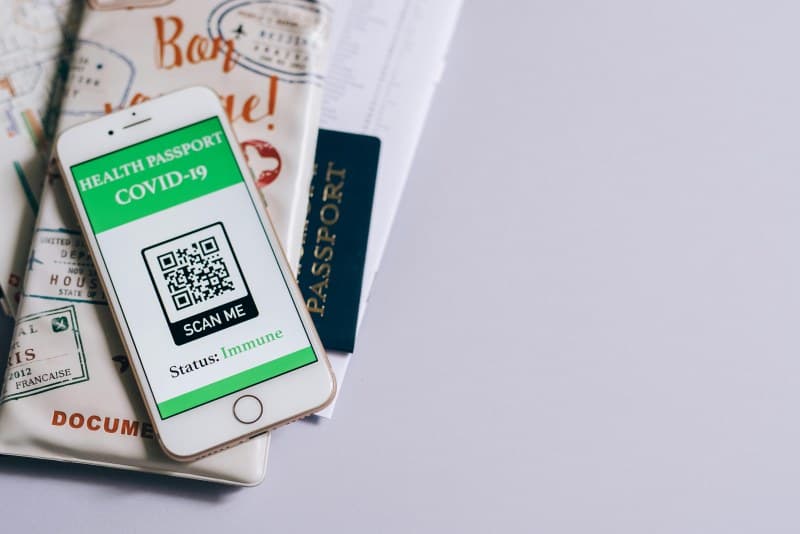
Ever scanned a QR code to pull up a café menu or pay for groceries and wondered, “How does this tiny square do so much?” QR codes are everywhere these days, but most of us don’t know the basics—or the myths that surround them. Let’s break it down.
How Do QR Codes Actually Work? 💡
QR stands for “Quick Response,” and that’s exactly what they’re designed for: fast, easy data transfer. A QR code is a matrix barcode—think of it as a 2D version of the linear barcodes you see on products. The black squares and dots hold information (like a URL, contact details, or Wi-Fi login). When your phone’s camera scans it, the app decodes the pattern and takes action—say, opening a website or adding a contact to your list.
4 Common QR Code Myths Debunked ❌
Let’s clear up the most persistent misconceptions:
- Myth 1: QR codes only store URLs. Nope! They can hold text, phone numbers, email addresses, Wi-Fi credentials, and even small images. For example, a museum might use a QR code to share a audio guide transcript.
- Myth 2: All QR codes are unsafe. While scanning untrusted codes (like random ones on street walls) can lead to phishing, most legitimate QR codes (from businesses or trusted sources) are safe. Always check the URL preview before opening.
- Myth 3: QR codes are outdated. Far from it! They’re used for mobile payments (like Venmo or Apple Pay), event tickets, loyalty programs, and even contact tracing. During the pandemic, they became a go-to for touchless interactions.
- Myth 4: You can’t change the content of a QR code. Static QR codes (printed once) can’t be updated, but dynamic QR codes let you edit the linked content without reprinting. Perfect for businesses that update menus or promotions often.
Types of QR Codes: A Quick Comparison 📊
Not all QR codes are the same. Here’s how the most common types stack up:
| Type | Key Feature | Best Use Case |
|---|---|---|
| Static | Fixed content, no updates allowed | Business cards, permanent Wi-Fi logins |
| Dynamic | Editable content, trackable analytics | Daily café specials, event promotions |
| Micro QR | Smaller size, less data storage | Product labels with limited space |
| iQR | Can be shaped (e.g., logo-integrated) | Brand marketing materials |
Practical Uses: A Café Owner’s Story 🌟
Mia, owner of a small neighborhood café, switched to dynamic QR codes for her menu last year. Before, she’d print new menus every week to update specials—wasting paper and money. Now, she edits the menu online, and the QR code on the table stays the same. “Customers love it,” she says. “They can see the day’s soup or pastry without waiting for a server, and I save hours of printing.”
FAQ: Your QR Code Questions Answered 🤔
Q: Can QR codes expire?
A: Static QR codes never expire. Dynamic ones can be set to expire (e.g., for a limited-time event ticket) or stay active indefinitely. Always check the source if you’re unsure.
“Simplicity is the ultimate sophistication.” — Leonardo da Vinci
This quote fits QR codes perfectly. They’re simple to scan and use, but their underlying technology is clever enough to power everything from payments to education. Next time you scan a QR code, you’ll know a little more about the magic behind that tiny square.