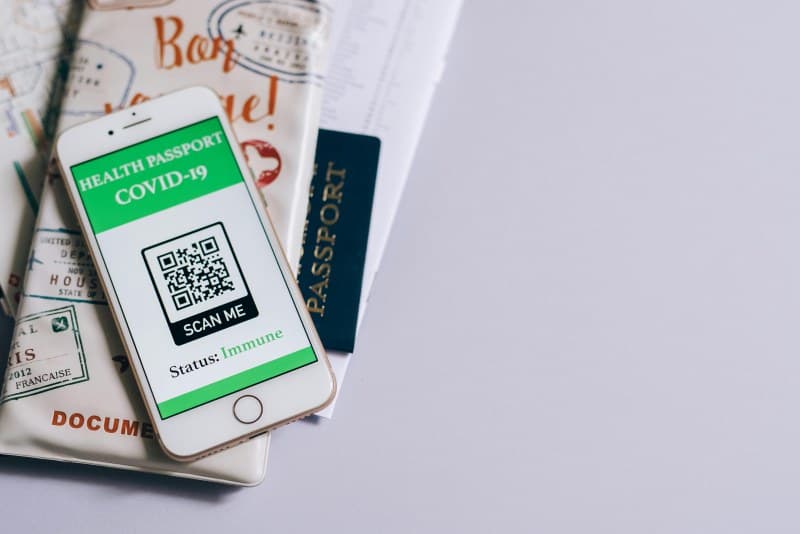
Last week, I stood in line at my favorite coffee shop, watching the person in front of me scan a QR code on the counter to pay. No cash, no card swiping—just a quick tap of their phone. I’ve used QR codes a hundred times, but I never stopped to think: how do these little square patterns actually work?
What Are QR Codes, Anyway?
QR (Quick Response) codes are 2D barcodes invented in 1994 by Denso Wave, a Japanese company, to track car parts during manufacturing. Unlike 1D barcodes (like UPC codes on groceries) that store data only horizontally, QR codes use a grid of black and white squares to store data both horizontally and vertically. This means they can hold up to 7,089 numeric characters or 4,296 alphanumeric characters—way more than their 1D counterparts.
2 Core Technologies Powering QR Codes
QR codes aren’t just random squares. Two key technologies make them functional and reliable:
1. Matrix Barcode System
The matrix system is the foundation of QR codes. Each black square represents a “1” and each white square a “0” (binary code). The three large squares in the corners (called position markers) help scanners identify the code’s orientation and size—so you can scan it from any angle. Smaller alignment markers (usually in the bottom-right corner) ensure the scanner stays focused even if the code is slightly distorted.
2. Error Correction
This is what makes QR codes tough. Even if up to 30% of the code is scratched, smudged, or covered, the scanner can still read it. Error correction works by storing redundant data—so if part of the code is missing, the scanner uses the redundant info to fill in the gaps. There are four levels of error correction (L, M, Q, H) depending on how much damage the code can withstand.
Here’s a quick comparison of the two technologies:
| Technology Name | Primary Purpose | Key Benefit |
|---|---|---|
| Matrix Barcode System | Store and organize data in a 2D grid | Holds more data than 1D barcodes; scannable from any angle |
| Error Correction | Recover lost data if the code is damaged | Resilient to scratches, smudges, or partial coverage |
Common QR Code Myths Debunked
Let’s bust two persistent myths about QR codes:
- Myth 1: QR codes are always a scam. While some malicious codes exist (like those linking to phishing sites), most are safe. Always check the URL before opening it—if it looks suspicious (e.g., a random string of characters), don’t click.
- Myth 2: Only smartphones can scan QR codes. No! Many tablets, laptops (with built-in cameras), and even smartwatches can scan QR codes. Some stores even use dedicated QR scanners for inventory or checkout.
“Simplicity is the ultimate sophistication.” — Leonardo da Vinci
This quote fits perfectly with QR codes. They’re simple to use (just point and scan), but their underlying technology is sophisticated enough to handle error correction and store large amounts of data. It’s a reminder that great tech often hides complexity behind a user-friendly interface.
Practical Uses You Might Not Know
QR codes aren’t just for payments. Here are some creative uses:
- Museum exhibits: Scan a code next to an artifact to get a detailed history or audio guide.
- Restaurant menus: Many cafes use QR codes to display digital menus, updating them easily without printing new ones.
- Product packaging: A local bakery owner named Maria puts QR codes on her bread loaves. When customers scan the code, they get the recipe for that bread plus a short video of Maria baking it. She noticed a 20% increase in repeat customers because people felt more connected to her brand.
FAQ: Your QR Code Questions Answered
Q: Can QR codes store sensitive information like credit card details?
A: Yes, but it’s not recommended. Most secure uses (like contactless payments) don’t store the info directly—instead, they link to a secure payment gateway. Always make sure the QR code is from a trusted source before scanning.
QR codes are everywhere now, and understanding how they work helps you use them safely and creatively. Whether you’re paying for coffee or accessing a museum exhibit, these little squares are a perfect example of how simple tech can make our lives easier.