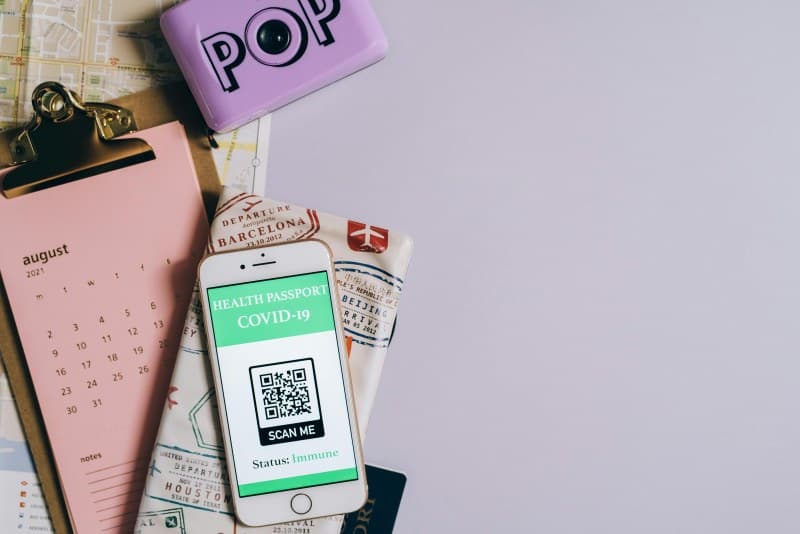
Ever stood in a café, scanned a QR code to order your latte, and wondered: How does this tiny square of black and white dots actually work? You’re not alone. QR codes have become everywhere—from menus to event tickets—but most of us don’t know the basics, let alone the myths surrounding them.
How QR Codes Work: The No-Jargon Breakdown
QR stands for Quick Response. Unlike traditional 1D barcodes (the ones on grocery items), QR codes are 2D, meaning they store data both horizontally and vertically. This lets them hold way more info—like URLs, contact details, or even Wi-Fi passwords. When you scan a QR code with your phone’s camera, the app (or built-in scanner) decodes the pattern of squares into usable data, then takes you to the linked content.
7 QR Code Myths You Should Stop Believing
- Myth 1: QR codes only link to websites.
Truth: They can store text, vCards (contact info), Wi-Fi credentials, or even small files like PDFs. - Myth 2: All QR codes are unsafe.
Truth: Most are harmless, but avoid scanning codes from unknown sources (like random posters or spam emails). - Myth3: QR codes can’t hold much data.
Truth: A standard QR code can store up to 7,089 numeric characters or 4,296 alphanumeric ones—enough for a short story! - Myth4: Only smartphones can scan QR codes.
Truth: Tablets, some digital cameras, and even smartwatches (like Apple Watch) have QR scanners. - Myth5: Static QR codes never change.
Truth: Yes, but dynamic QR codes let you update the linked content without changing the code itself—great for marketing campaigns. - Myth6: QR codes are outdated.
Truth: Post-pandemic, their use skyrocketed for contactless interactions (menus, payments) and they’re still growing. - Myth7: All QR codes look the same.
Truth: You can customize them with logos, colors, or shapes—just keep the contrast high so scanners can read them.
QR Code Types: Which One Fits Your Needs?
Not all QR codes are created equal. Here’s a quick comparison:
| QR Code Type | Key Feature | Best Use Case |
|---|---|---|
| Static | Fixed content; can’t edit after creation | Sharing contact info (vCard), product URLs |
| Dynamic | Editable content; same code links to new data | Menu updates, marketing campaigns |
| Micro QR | Small size; less data storage | Small products (jewelry tags, business cards) |
Real-World Win: A Bakery’s QR Code Success
Maria runs a small neighborhood bakery. Last year, she added QR codes to each pastry display. Scanning the code gives customers the recipe, ingredient list (great for allergy sufferers), and a loyalty point for their next visit. Within three months, her repeat customers increased by 25%—all because of a simple QR code trick.
Practical QR Code Uses for Your Daily Life
- Contactless payments: Use PayPal or Venmo QR codes to pay without cash or cards.
- Wi-Fi sharing: Create a QR code for your home Wi-Fi—guests scan it to connect instantly.
- Event tickets: Skip the line by scanning your digital ticket QR code at concerts or movies.
- Recipe storage: Save your favorite recipes as QR codes—stick them on your kitchen cabinet for easy access.
“Simplicity is the ultimate sophistication.” — Leonardo da Vinci
This quote perfectly sums up QR codes. They’re simple to use, but they bridge the gap between the physical and digital worlds in powerful ways.
FAQ: Are QR Codes Safe to Scan?
Q: I’m nervous about scanning QR codes—could they lead to malware?
A: Most QR codes are safe, but always be cautious. Avoid scanning codes from untrusted sources. If your phone shows a URL preview before opening, check if it’s a trusted domain (like a well-known brand). Many phones also have built-in security checks to warn you of suspicious links.
Next time you scan a QR code, you’ll know exactly what’s happening behind the scenes. And who knows—you might even create your own QR code for something fun, like sharing your favorite playlist with friends!