Last week, I stood in a busy café, squinting at a QR code on the table. My phone camera kept glitching—first it wouldn’t focus, then it said the code was invalid. By the time I finally got the menu to load, I was curious: why do these little black-and-white squares sometimes feel like magic, and other times like a headache? Let’s break down how QR codes work, clear up some common myths, and figure out how to fix those scanning hiccups.
What Are QR Codes, Anyway?
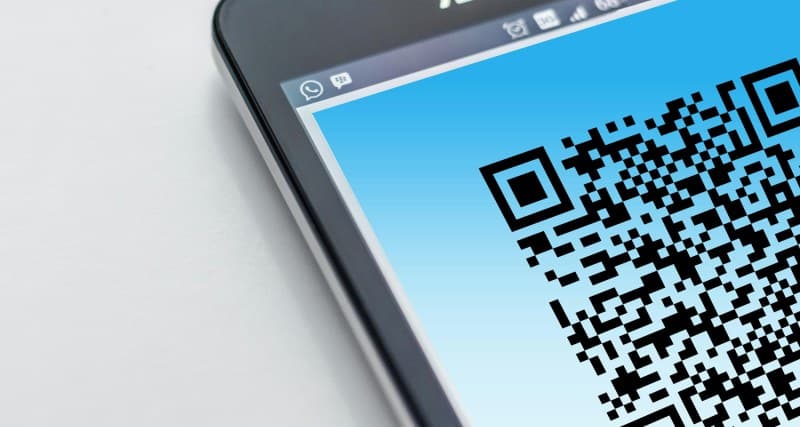
QR stands for Quick Response—and they live up to the name. Unlike traditional 1D barcodes (the ones on grocery items), QR codes are 2D, meaning they store data in both horizontal and vertical directions. This lets them hold way more info: a URL, contact details, Wi-Fi credentials, or even a short text message. When your phone’s camera scans the code, it decodes the pattern of black squares and translates it into action—like opening a website or adding a contact.
6 Common QR Code Myths Debunked
- Myth: QR codes are only for payments. Truth: Payments are just one use! They’re also used for event tickets, museum exhibit info, restaurant menus, and even sharing Wi-Fi (scan to connect without typing passwords).
- Myth: All QR codes are the same. Truth: There are static (data can’t be changed) and dynamic (data can be updated) codes. Dynamic ones are great for businesses—they can change a link without reprinting the code.
- Myth: QR codes can’t store much data. Truth: A standard QR code can hold up to 4,296 alphanumeric characters—enough for a short story or a long URL.
- Myth: Scanning QR codes is always safe. Truth: Malicious codes can link to phishing sites. Always check the URL before opening it, and use a scanner with built-in security (like Google Lens).
- Myth: QR codes expire. Truth: Static codes never expire, but dynamic ones might if the service hosting the data shuts down.
- Myth: You need a special app to scan QR codes. Truth: Most modern phones (iOS 11+ and Android 9+) have built-in QR scanners in their cameras. Just point and wait!
Static vs. Dynamic QR Codes: A Quick Comparison
Not sure which type to use? Here’s a breakdown:
| Type | Data Editable? | Best For | Pros | Cons |
|---|---|---|---|---|
| Static | No | Personal use (sharing a fixed URL or contact) | Free, no ongoing cost, never expires | Can’t update data—must reprint if you change the link |
| Dynamic | Yes | Businesses (menus, marketing links) | Update links anytime, track scans | Requires a subscription, may expire if service ends |
Why QR Codes Matter: A Classic Quote
“Simplicity is the ultimate sophistication.” — Leonardo da Vinci
This quote fits QR codes perfectly. They take complex tasks (like sharing a Wi-Fi password or directing someone to a website) and turn them into a single scan. No typing, no memorizing—just simple, fast action.
Everyday Uses You Might Not Have Noticed
QR codes are everywhere once you start looking:
- Museums: Scan a code next to an exhibit to get extra info or audio guides.
- Event tickets: Most concerts and sports games use QR codes for entry—no paper needed.
- Business cards: Scan a code to add someone’s contact details directly to your phone.
- Package tracking: Some delivery services let you scan a code to see real-time updates.
Troubleshooting: When QR Codes Won’t Scan
Ever had a QR code refuse to work? Try these fixes:
1. Clean your camera lens: Smudges or dust can block the scan.
2. Adjust lighting: Too much glare or dim light makes it hard for the camera to read the code.
3. Hold your phone correctly: Keep it 6-12 inches away from the code, and make sure it’s centered in the frame.
4. Check for damage: Scratches or tears on the code can break the pattern.
5. Use a dedicated app: If your camera isn’t working, try apps like QR Code Reader or Google Lens.
FAQ: Your QR Code Questions Answered
Q: Can scanning a QR code give my phone a virus?
A: It’s possible, but rare. Malicious codes might link to phishing sites or download harmful files. To stay safe, avoid scanning codes from unknown sources, and always check the URL before opening it. Most reputable apps (like Google Lens) will warn you if a link looks suspicious.
QR codes are more than just a tech trend—they’re a tool that simplifies our daily lives. Next time you scan one, you’ll know exactly what’s happening behind the scenes, and you’ll be ready to fix any issues that pop up.