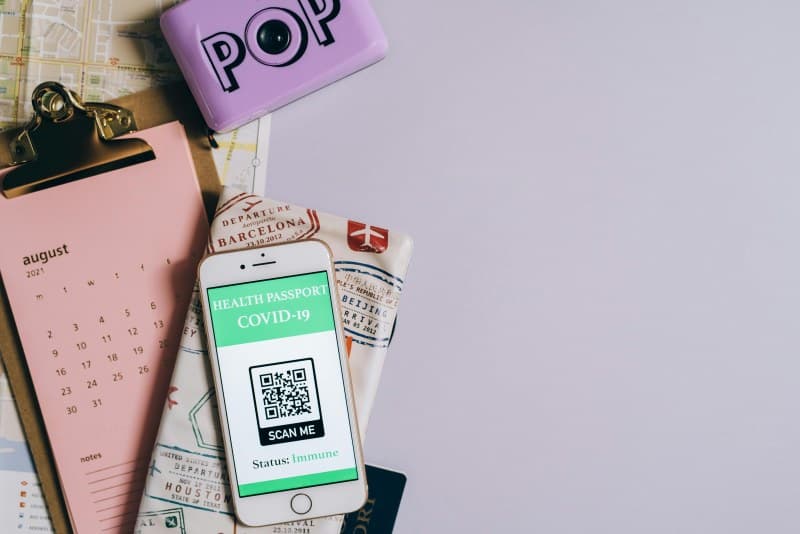
Ever scanned a QR code to pull up a café menu, pay for groceries, or join a Wi-Fi network? These little black-and-white squares are everywhere, but do you know how they actually work? Let’s break it down simply, without the tech jargon.
What Are QR Codes, Anyway?
QR stands for Quick Response. Invented in 1994 by Japanese company Denso Wave to track car parts during manufacturing, they’ve since become a global tool for sharing data quickly. Unlike barcodes (which only hold data horizontally), QR codes store info both horizontally and vertically—so they can carry way more content.
How Do QR Codes Work?
Think of a QR code as a digital puzzle. The black squares represent bits of data (1s), and the white spaces represent 0s. When you scan a QR code with your phone’s camera, the scanner reads the pattern, decodes the binary data, and turns it into something useful—like a URL, contact info, or a discount code. The three big squares in the corners are position markers, so the scanner knows exactly how to orient the code, even if it’s tilted.
3 Key Types of QR Codes: A Comparison
Not all QR codes are the same. Here’s a look at the most common types:
| Type | Primary Use | Data Capacity | Pros | Cons |
|---|---|---|---|---|
| Static | Fixed info (e.g., business cards, Wi-Fi passwords) | Up to 4,296 alphanumeric characters | No subscription needed, permanent | Can’t update content once created |
| Dynamic | Updatable content (e.g., restaurant menus, event details) | Links to external content (unlimited indirect data) | Edit content anytime, track scans | Requires a service provider (sometimes paid) |
| Structured Append | Large data sets (e.g., manuals, videos) | Splits data across multiple codes (total up to 12,864 chars) | Handles big files | Needs all codes to be scanned in order |
Common Myths About QR Codes Debunked
Let’s clear up some misconceptions:
- Myth 1: QR codes are always unsafe. While scammers can create malicious codes, most are harmless. Just check the URL before opening it (your phone will often preview it) and avoid scanning codes from unknown sources.
- Myth 2: QR codes can only store URLs. Nope! They can hold text, contact info, calendar events, and even small images.
Practical Uses You Might Not Know
QR codes aren’t just for menus. Here are some creative uses:
- Museum exhibits: Scan to get audio guides or extra info about artworks.
- Plant care: Nurseries use QR codes on pots to link to watering and sunlight tips.
- Bookstores: Scan a code on a book display to watch author interviews or join a book club.
A Real-Life Example
Local bakery Sweet Haven started using dynamic QR codes on their display cases last year. Customers scan the code to see daily specials, allergy info, and even a behind-the-scenes video of bakers at work. Within a month, their social media followers increased by 25%, and repeat customers rose by 15%—all because the codes made it easier to connect with their audience.
“Simplicity is the ultimate sophistication.” — Leonardo da Vinci
This quote fits QR codes perfectly. They’re simple to use (just point and scan) but carry complex, useful data—proving that sophisticated tech doesn’t have to be complicated.
FAQ: Your QR Code Questions Answered
Q: Can QR codes expire?
A: Static codes don’t expire (since their data is fixed). Dynamic codes, however, can expire if the service provider ends the subscription or changes the linked content. Always check the source if a code seems outdated.