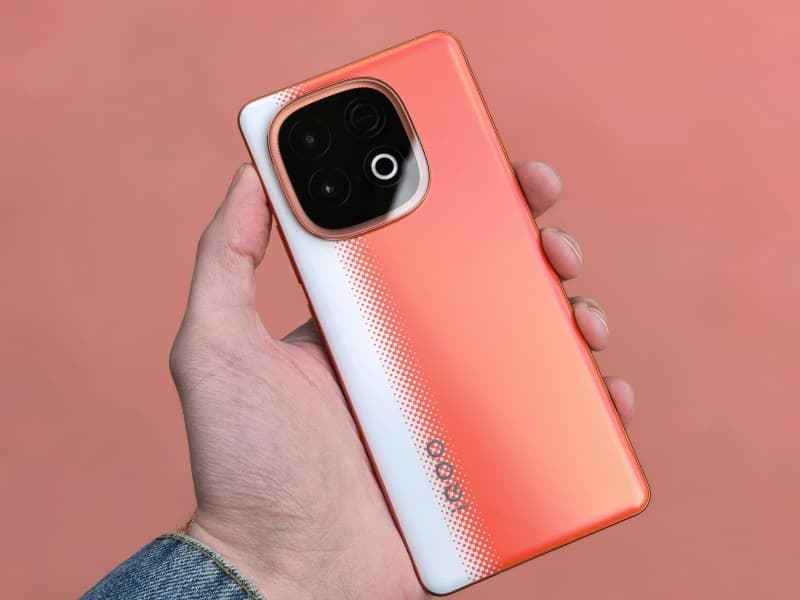
You’re halfway through a hike, and your phone battery hits 10%. Panic sets in—you need it for navigation, to call your ride, and to snap that perfect sunset photo. We’ve all been there, and we’ve all heard the myths: “Charging overnight ruins your battery!” or “Closing background apps saves power!” But which of these are actually true?
4 Smartphone Battery Myths You Should Stop Believing
Let’s break down the most common myths and set the record straight.
Myth 1: Charging overnight damages your battery
Remember the old days when leaving your phone plugged in all night would overcharge it? Those days are gone. Modern lithium-ion batteries have built-in chips that stop charging once they reach 100%. So leaving your phone plugged in overnight won’t harm it—though it might use a tiny bit of extra energy when it tops up again.
Myth 2: Closing background apps saves battery life
Many people spend minutes every day swiping away background apps, thinking it’ll extend their battery. But modern smartphones are smart: they suspend apps that aren’t in use, so they don’t drain power. Closing them actually forces the phone to restart the app later, which uses more energy than leaving it suspended.
Myth 3: You need to fully drain the battery before charging
This myth comes from old NiCad batteries, which suffered from “memory effect” (losing capacity if not fully drained). Lithium-ion batteries don’t have this issue. In fact, keeping your battery between 20% and 80% is better for its long-term health.
Myth 4: Using your phone while charging is harmful
Ever felt your phone get warm while charging and using it? That’s normal, but it doesn’t mean it’s damaging the battery. The heat is from the charging process plus the app you’re using. As long as your phone isn’t overheating (like too hot to hold), it’s safe to use while charging.
Myth vs Fact: A Quick Comparison
Here’s a handy table to keep track of what’s true and what’s not:
| Myth | Fact | Key Takeaway |
|---|---|---|
| Charging overnight ruins battery | Modern batteries stop charging at 100% | Feel free to charge overnight |
| Closing background apps saves power | Suspended apps use minimal energy; restarting uses more | Skip the swiping |
| Full drain before charging is needed | Lithium-ion batteries hate full drains | Charge when between 20-80% |
| Using while charging is harmful | Warmth is normal; no long-term damage | Use your phone while charging (if it’s not too hot) |
Why These Myths Stick Around
Most of these myths come from older battery technologies. NiCad batteries, used in phones decades ago, had different rules. But since lithium-ion batteries took over (around the early 2000s), those rules no longer apply. Unfortunately, old habits die hard, and misinformation spreads quickly.
A Relatable Story: Sarah’s Battery Woes
My friend Sarah used to be obsessed with closing background apps. She’d spend 5 minutes every hour swiping away every app on her screen. She swore it kept her battery going longer—until one day her phone died mid-call, even after all that effort. When she checked her battery usage, she found that her photo editing app (which she’d used for 10 minutes that morning) was still running in the background, but closing other apps didn’t help. She learned that modern phones manage background apps automatically, so her habit was a waste of time. Now she spends that time enjoying her day instead of swiping.
Practical Tips to Extend Your Battery Life
Now that you know the myths, here are some real ways to keep your battery going longer:
- Adjust your screen brightness: Lower it or use auto-brightness (most phones have this feature).
- Use dark mode: OLED screens use less power when displaying dark colors.
- Limit location services: Turn off location for apps that don’t need it (like games).
- Update your software: Manufacturers often release updates that improve battery efficiency.
FAQ: Your Battery Questions Answered
Q: Is it safe to use fast chargers every day?
A: Yes! Modern lithium-ion batteries are designed to handle fast charging. The charger and phone work together to adjust the voltage and current, so fast charging won’t damage your battery long-term. Just make sure you use a quality charger from a reputable brand (like Apple, Samsung, or Anker).
Final Thought
“An investment in knowledge pays the best interest.” — Benjamin Franklin
This quote rings true when it comes to your smartphone battery. Knowing the truth about these myths can save you time, frustration, and even money (since you won’t need to replace your battery as often). So next time you hear a battery myth, take a second to fact-check—it might just keep your phone running longer.